The MT4 trading journal with automatic trade sync
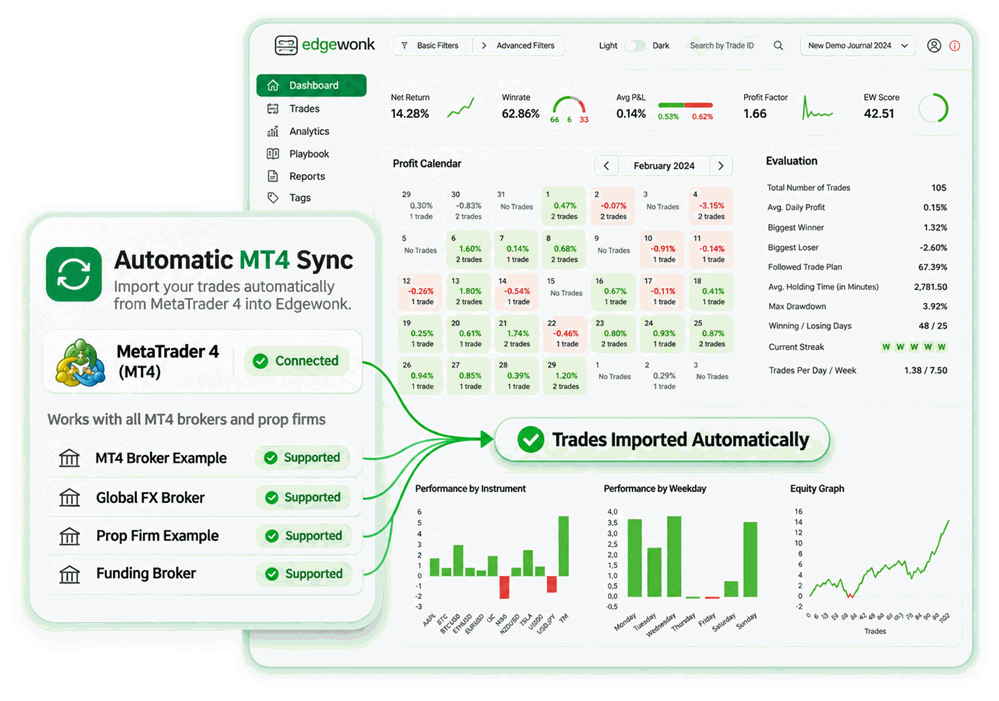
Automatically sync your MetaTrader 4 trades into Edgewonk. Track your Forex strategies, analyze mistakes, and improve trading discipline without manually entering trades.
Connect MT4 to Edgewonk in 3 simple steps
Set up automatic trade syncing once and let Edgewonk keep your trading journal updated.
Set up your MT4 connection
Select MT4 Auto Sync in Edgewonk and get your connection details.
Connect MetaTrader 4
Enter the connection details in MT4 and enable automatic publishing.
Analyze your trades
Your trades sync into Edgewonk, where you can analyze performance, mistakes, and trading discipline.
Turn your MT4 trades into better trading decisions
Automatically importing trades is just the beginning. Edgewonk helps you analyze your MetaTrader 4 performance, uncover costly mistakes, and find out what to improve next.
Find your best trading setups
Discover which Forex pairs, trading setups, and trading times deliver your strongest results.
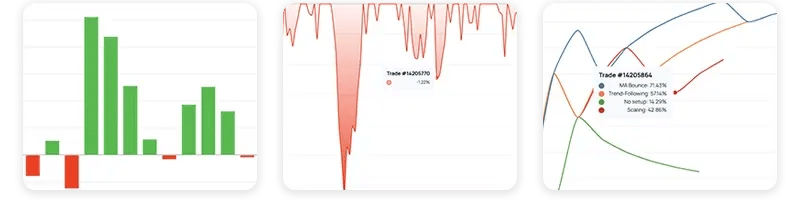
Edgewonk breaks down your imported MT4 trades so you can focus on what works and identify strategies that consistently underperform.
Improve your management & exits
Are you cutting winners too early, moving stops, or interfering with profitable trades?
Edgewonk compares your actual and potential trade performance, helping you understand how your management decisions affect your results.
Optimize risk & drawdowns
One oversized loss can wipe out the profits from several successful trades.
Analyze your risk distribution, drawdowns, and losing streaks to identify dangerous patterns and improve your money management.
Understand your trading psychology
Revenge trading, FOMO, and breaking trading rules can seriously damage your results.
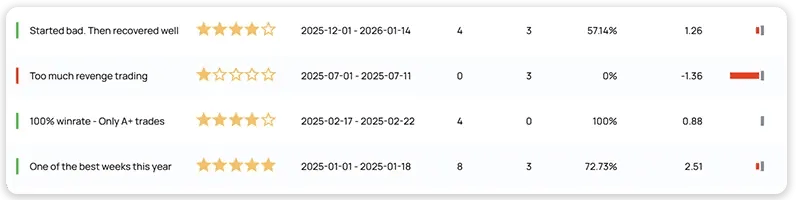
Track emotions, rule violations, and recurring mistakes alongside your MT4 trades to discover how your decisions affect profitability.
See MT4 auto sync in action
Watch how to connect MetaTrader 4 to Edgewonk and automatically import your trades in this short, four-minute walkthrough.
- Set up your MT4 connection
- Enable automatic trade syncing
- Start analyzing your imported trades
The professional MT4 trading journal
![]()
Privacy First
Your data is never sold, analyzed, or used to reverse-engineer your strategies. We only access your journal if you explicitly ask us to.
![]()
Highest Security
We develop with security at the core, ensuring your trading data is always protected. Independent penetration tests confirm that our systems are safe and reliable.
![]()
Decade of Trust
For over 10 years, traders worldwide have relied on Edgewonk to improve their performance, making it one of the most trusted trading journals today.
Frequently asked questions from MT4 traders
-
Does Edgewonk automatically sync trades from MetaTrader 4 (MT4)?
Yes. Edgewonk supports automatic trade syncing from MetaTrader 4 (MT4). Once connected, MT4 automatically transfers your trading history and new trades into your Edgewonk trading journal using its FTP publishing feature. You don't need to manually upload trade files after the initial setup.
-
Does Edgewonk support all MT4 brokers and prop firms?
Yes. Edgewonk's MT4 Auto Sync works with standard MetaTrader 4 platforms from Forex brokers and prop firms. This includes popular brokers such as IC Markets, Pepperstone, Exness, and Forex.com, as well as MT4-based funded trading accounts.
-
How do I connect MetaTrader 4 to Edgewonk?
Connecting MT4 to Edgewonk requires a one-time setup. Select MetaTrader 4 Auto Sync in Edgewonk, copy your FTP connection details into MT4, and enable automatic publishing. Your trading history will then sync into Edgewonk, where you can immediately start analyzing your performance.
-
How often does Edgewonk automatically sync MT4 trades?
MT4 automatically publishes your trading history based on the refresh interval configured in its FTP settings. MT4 can also publish updated reports after trading actions, such as closing a trade or adjusting a stop loss, while the platform is running.
-
Can I import my existing MT4 trading history into Edgewonk?
Yes. When you first connect MT4 to Edgewonk, your available trading history can be imported automatically. Make sure your MT4 Account History tab is not restricted by date filters, because only the trades visible in your history are included in the automatic reports.
-
Can I use Edgewonk with MT4 demo, live, and funded accounts?
Yes. Edgewonk supports MT4 demo accounts, live trading accounts, and funded accounts from prop firms. You can analyze your trading performance regardless of the account type and use the same journal features for tracking strategies, mistakes, and risk management.
-
Can I track multiple MT4 trading accounts in Edgewonk?
Yes. Edgewonk allows you to create unlimited trading journals and track multiple MT4 accounts within one subscription. You can keep individual broker accounts, demo accounts, and prop firm challenges separate or review their combined performance using Edgewonk's Portfolio feature.
-
What can I analyze after importing my MT4 trades?
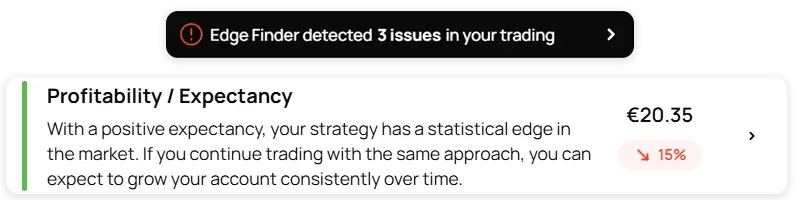
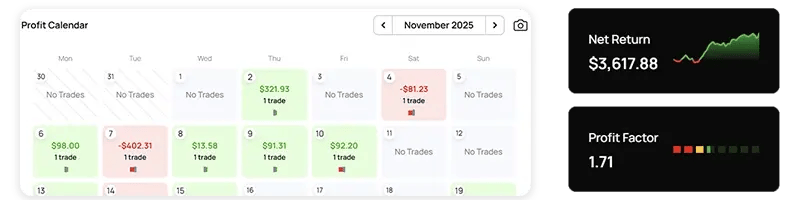
Edgewonk automatically calculates statistics such as win rate, profit factor, net return, drawdowns, and performance by currency pair or trading time. You can also analyze individual setups, entries, exits, risk management, and trading psychology to identify strengths, weaknesses, and recurring mistakes.
-
Does Edgewonk need my MT4 broker password or permission to execute trades?
No. Edgewonk's MT4 Auto Sync uses MetaTrader's FTP report publishing feature to receive trading data. You create a separate FTP password for the connection, so you don't need to share your broker's trading password. The integration imports trading reports and does not place or manage trades in your MT4 account.
-
Is MT4 automatic syncing included in my Edgewonk subscription?
Yes. MT4 automatic trade syncing is included in Edgewonk subscriptions without additional integration fees. You also get access to performance analytics, setup checklists, trading psychology tools, and unlimited trading journals without purchasing separate feature upgrades.
You’re Only 10 Minutes Away from Taking Control of Your Trading
Start in minutes
14-day refund period