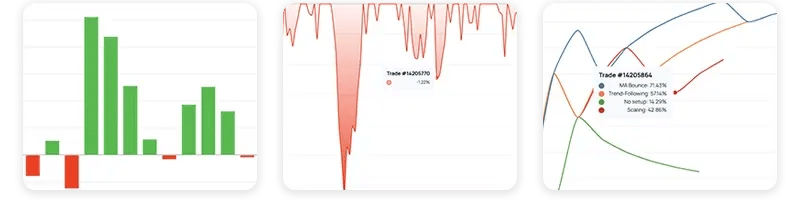
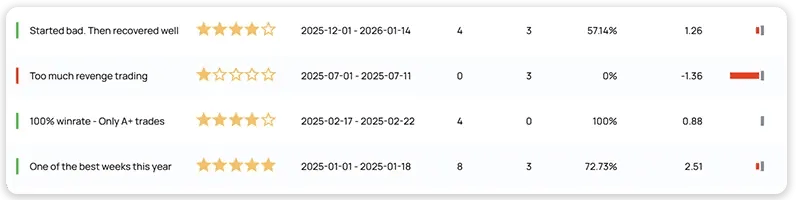
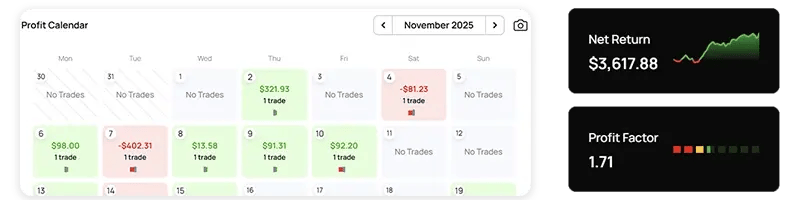
The Futures trading journal that shows you what works
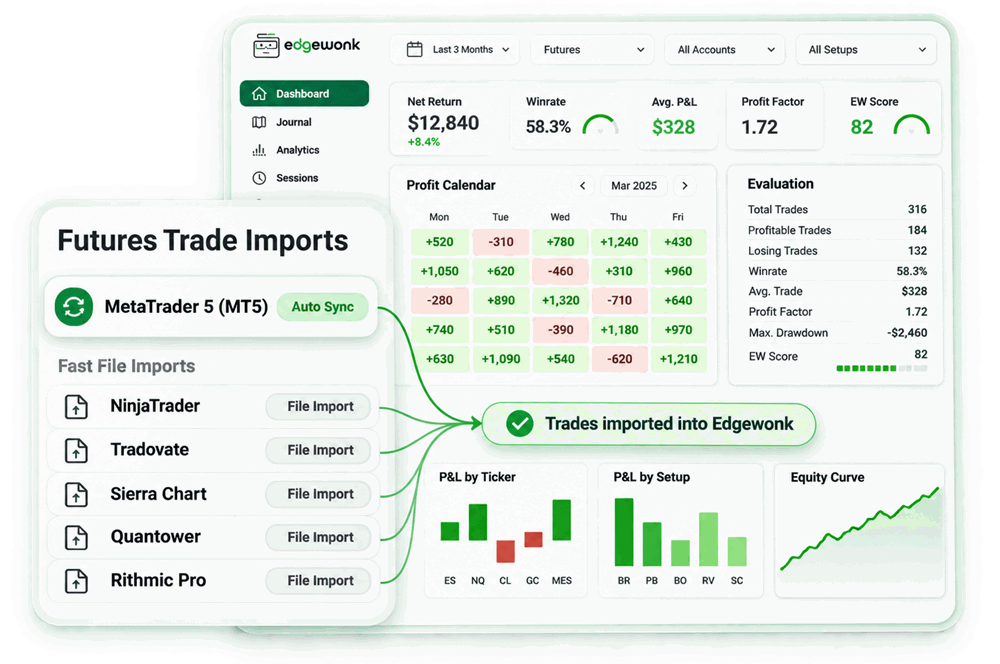
Track your futures setups, improve trade management, and uncover costly mistakes. Automatically sync trades from MT5 or import files from NinjaTrader, Tradovate, and other major futures platforms.
Works with your favorite futures trading platform
Automatically sync trades from MetaTrader 5 or import your trading history from NinjaTrader, Tradovate, Sierra Chart, Quantower, and other major futures platforms.
Futures platforms
Automatically sync trades from MT5 or easily import your trades from NinjaTrader, Tradovate, Sierra Chart, and other major futures platforms.
Supported futures trading platforms:
- MetaTrader 5 (MT5) — Auto Sync
- NinjaTrader
- Tradovate
- Sierra Chart
- Quantower
- Rithmic Pro
- TopstepX
- ATAS
MT5 supports automatic trade syncing. NinjaTrader, Tradovate, Sierra Chart, Quantower, and the other platforms listed above support file imports. View all supported platforms.
Futures prop firms
Track trades from prop firms.
Import trades from supported futures prop firms and track the performance of all your funded accounts in one place.
- Topstep
- Apex Trader Funding
- MyFundedFutures
- Take Profit Trader
- Earn2Trade
- Tradeify
- Bulenox
Other futures prop firms may also be supported through compatible trading platform exports.
All trading styles supported
Whether you scalp ES and NQ, day trade, or swing trade futures, Edgewonk adapts to your trading style.
Edgewonk supports:
-
Scalping
-
Day trading
-
Swing trading
-
Long-term investing
You can also journal multiple trading accounts while keeping performance data clearly separated.
Futures trading journal features that help you find your edge
A futures trading journal should do more than record trades. Edgewonk helps you identify your best markets, setups, and trading times while uncovering mistakes in execution, risk management, and trading psychology.
Find your best Futures contracts
Not every futures market fits your trading style. Edgewonk breaks down your performance by instrument, including ES, NQ, CL, GC, and micro futures.
Discover which contracts deliver your strongest results and which ones consistently hold you back.
Your most profitable Futures setups
Whether you trade opening range breakouts, pullbacks, reversals, or trend continuation, Edgewonk helps you analyze every setup.
Compare results, track individual setup checklists, and identify which strategies deserve more of your attention.
Your best Futures trading hours
Are you most profitable around the New York open, during quieter hours, or later in the trading session?
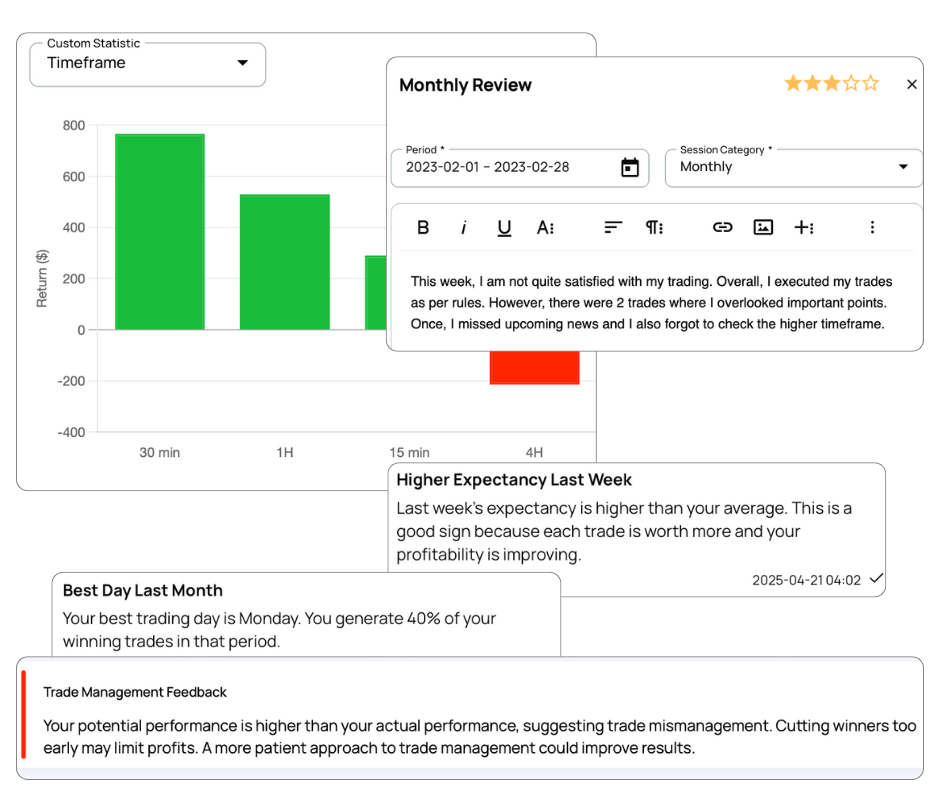
Edgewonk breaks down your performance by time, helping you identify your strongest trading windows and avoid periods that consistently hurt your results.
Most profitable market conditions
Futures markets behave differently during strong trends, ranging periods, and high volatility.
Track these conditions with custom statistics and discover when your trading setups perform best, so you can focus on favorable environments.
Best way to manage Futures trades
Cutting winners too early, moving stops, or interfering with trades can seriously damage your results.
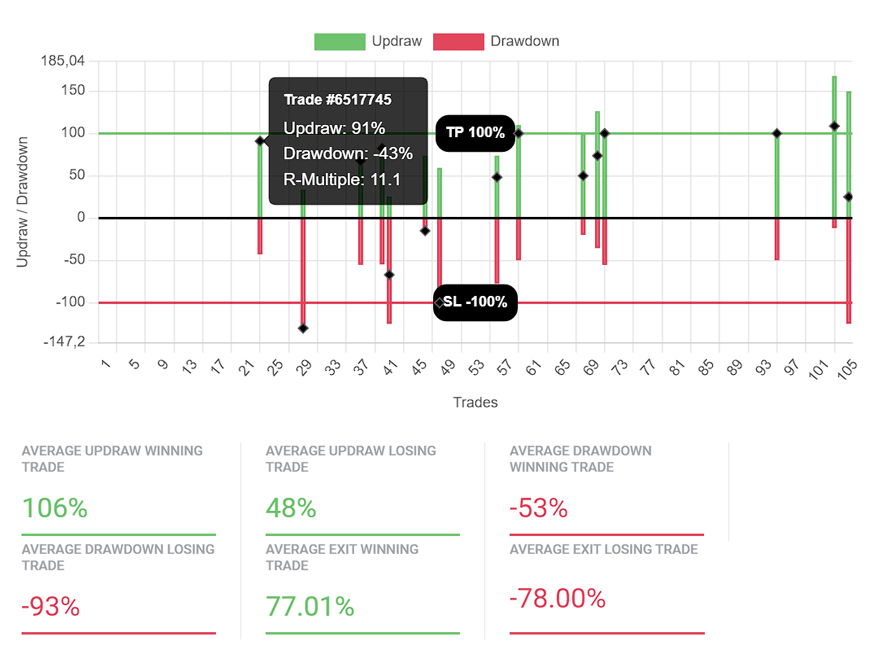
Edgewonk compares your actual performance with potential outcomes, showing whether your trade management decisions are helping or hurting your strategy.
Psychology and emotions as a Futures trader
Revenge trading, FOMO, and breaking risk rules can quickly turn a good trading day into a losing one.
Track your emotions and trading decisions to uncover recurring behavioral mistakes and see how they affect your performance.
The Futures trading journal that turns data into progress
Your trade history already contains the answers. You just need the right system to uncover them.
Edgewonk turns every trade into clear feedback you can use to improve.
Identify winning strategies
Many Futures traders struggle with confidence because they are not sure what truly works in their own approach.
Edgewonk highlights your true top-performing strategies by separating signal from noise across many trades.
The result is simple: you get a precise roadmap for what to trade more, what to adjust, and what to drop.
Turn losses into lessons
Most traders either avoid looking at losses or overanalyze them without finding the real driver.
Edgewonk helps you isolate the patterns behind losing trades, so you can see what consistently leads to red days and what conditions your strategy struggles with.
You learn the right lesson, make the right adjustment, and build real confidence from your own numbers.
Optimize your trades
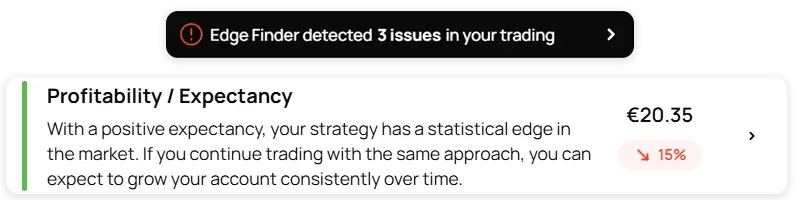
Edgewonk uncovers the hidden potential in your trading by analyzing entries, exits, trade management, and risk decisions across all your trades.
You will see where you consistently leave profits on the table, take unnecessary losses, or break your own rules.
The result is a tighter process, more consistency, and data-backed improvements you can keep repeating.
The professional Futures trading journal for serious traders
![]()
Privacy First
Your data is never sold, analyzed, or used to reverse-engineer your strategies. We only access your journal if you explicitly ask us to.
![]()
Highest Security
We develop with security at the core, ensuring your trading data is always protected. Independent penetration tests confirm that our systems are safe and reliable.
![]()
Decade of Trust
For over 10 years, traders worldwide have relied on Edgewonk to improve their performance, making it one of the most trusted trading journals today.
What is a Futures trading journal?
A futures trading journal is a structured way to record and analyze your futures trades, including entries, exits, position sizes, risk, and trading results.
It helps you identify which futures contracts, such as ES, NQ, CL, and GC, and which trading setups perform best, while accounting for commissions and trading costs.
Instead of relying on memory or gut feel, you analyze patterns across trading sessions, market conditions, and execution quality to uncover costly mistakes and improve risk management.
Over time, a good futures trading journal helps you develop a repeatable trading process, strengthen discipline, and make better decisions based on your actual trading performance.
Frequently asked questions from Futures traders
-
Does Edgewonk automatically sync futures trades from MetaTrader 5 (MT5)?
Yes. Edgewonk supports automatic futures trade syncing from MetaTrader 5 (MT5). Once connected, new trades are imported into your trading journal automatically, eliminating the need for manual uploads. Other major futures platforms are supported through file imports.
-
Does Edgewonk support NinjaTrader, Tradovate, Sierra Chart, and other futures platforms?
Yes. Edgewonk supports trade imports from NinjaTrader, Tradovate, Sierra Chart, Quantower, Rithmic Pro, TopstepX, and many other futures platforms. Simply export your trading history in a supported format and upload the file into Edgewonk.
-
Can I use Edgewonk with futures prop firms like Topstep and Apex Trader Funding?
Yes. Edgewonk can journal trades from futures prop firms such as Topstep and Apex Trader Funding when your trading platform provides a compatible trade export. You can track your evaluation and funded account performance, analyze mistakes, and review your trading discipline.
-
Can I track multiple futures trading accounts and prop firm evaluations separately?
Yes. Edgewonk allows you to create unlimited trading journals within one subscription. You can keep your personal futures accounts, funded accounts, and prop firm evaluations separate, making it easier to review the performance of each account.
-
Can I track E-mini and Micro E-mini futures contracts like ES, NQ, MES, and MNQ?
Yes. Edgewonk supports major futures contracts and their micro versions, including S&P 500 futures (ES and MES), Nasdaq futures (NQ and MNQ), crude oil (CL), and gold (GC). You can analyze performance by instrument to identify which futures markets suit your trading style best.
-
Can I track different futures trading strategies and setups?
Yes. Edgewonk lets you create and analyze individual trading setups, including opening range breakouts, pullbacks, trend continuations, and reversals. You can also use custom checklists and statistics to evaluate which setups and market conditions produce your best results.
-
Can Edgewonk identify my most profitable futures trading hours?
Yes. Edgewonk breaks down your trading performance by time of day and weekday. This helps you discover whether you perform better around the New York market open, during specific trading sessions, or at other times of the day.
-
Can Edgewonk help me analyze futures trading risk, drawdowns, and commissions?
Yes. Edgewonk provides risk analysis, drawdown statistics, and performance metrics to help you evaluate your money management. It also tracks commissions and fees, using the data supplied by your trading platform or entered into your journal.
-
Can Edgewonk help me improve futures entries, exits, and trade management?
Yes. Edgewonk analyzes your entries, exits, and trade management decisions to reveal potential performance weaknesses. Its Trade Management analysis compares actual and potential trade outcomes, helping you identify whether cutting winners early, moving stops, or other management decisions are affecting your results.
-
Can I track revenge trading, emotions, and rule violations in my futures journal?
Yes. Edgewonk allows you to track trading emotions, mistakes, and rule adherence alongside your performance data. You can identify patterns such as revenge trading, overtrading, FOMO, or excessive risk taking and analyze how these behaviors affect your results.
-
How is Edgewonk different from a futures trading spreadsheet?
A spreadsheet can record futures trades, but Edgewonk provides dedicated performance analysis, trading psychology tracking, automated insights, setup checklists, and structured trading reviews. Instead of building your own calculations and reports, you can focus on understanding your results and improving your trading process.
-
Is my futures trading data private, and can I export my journal?
Yes. Your Edgewonk trading journals are private by default, and your trading data is never sold to third parties. Edgewonk also undergoes independent security testing. You can export your trading history and supported journal data into Excel, although screenshots and notes are not included in the standard export.
You’re Only 10 Minutes Away from Taking Control of Your Trading
Start in minutes
14-day refund period